Affiliate payouts that take 0% and wait for your approval
- added to every payout
- 0%
- added to every payout
- ways to pay partners
- 4
- ways to pay partners
- default hold before payable
- 30 days
- default hold before payable
- batches above it need 2FA
- $1,000
- batches above it need 2FA
The problem
Paying partners by hand eats a day every month
Someone exports a spreadsheet, checks each partner for refunds and pays them one by one. A refund that lands after the payout is money you rarely get back.
Some hosted tools also take a share of every payout on top of the rail's own fee.
How OpenPromoter solves it
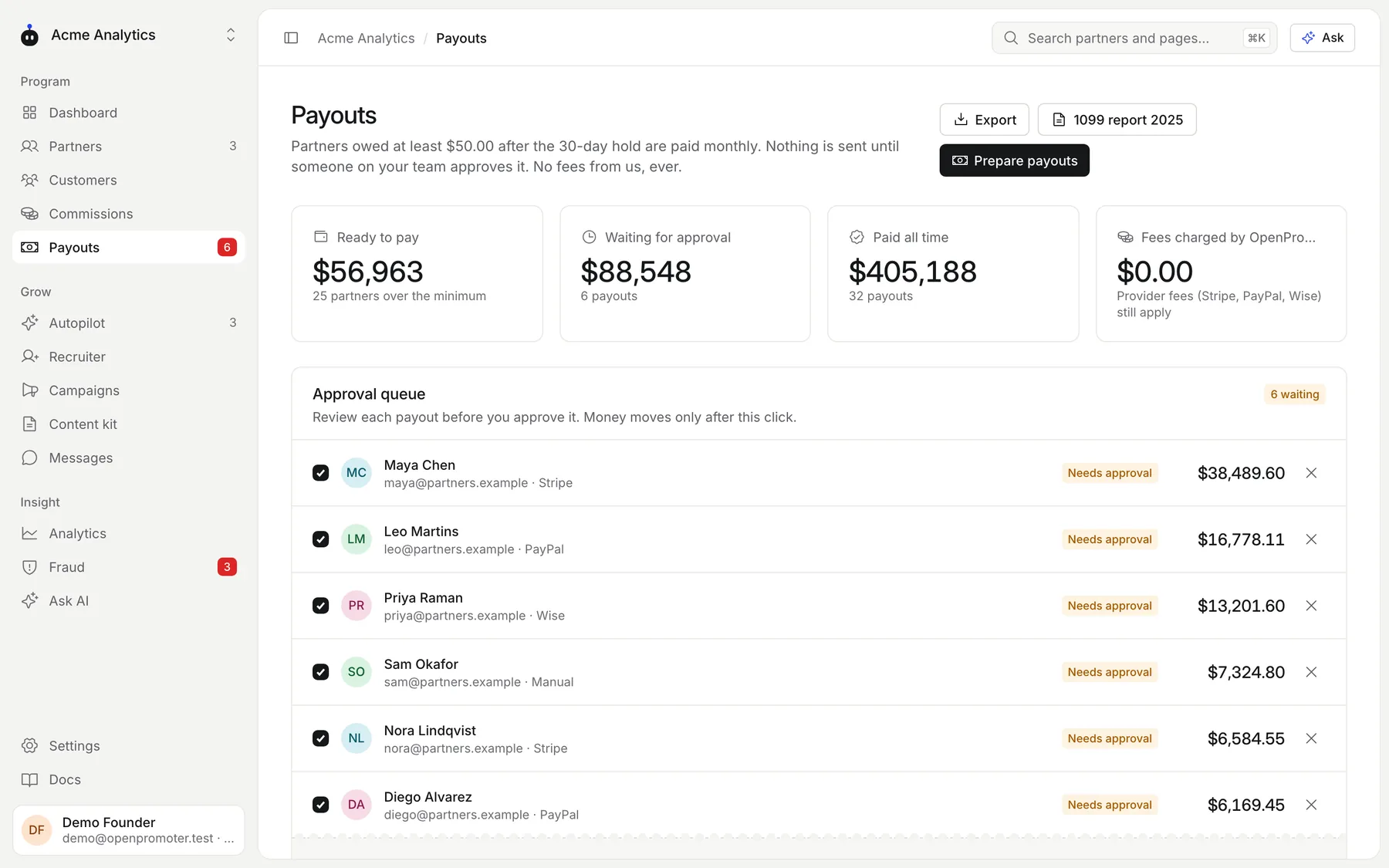
Payouts are prepared on schedule and sent after your approval
Commissions wait out your refund window and then join the next payout. A team member approves the batch and it goes out through each partner's payout method.
- 0% added to every payout
- Stripe Connect, PayPal, Wise or manual
- A 30-day hold by default
- A minimum payout per program
- Two-factor approval for batches above $1,000
- Clawbacks for refunds after payout
- W-9 and W-8BEN forms in the portal
- A self-billed invoice for every payout
The real screens
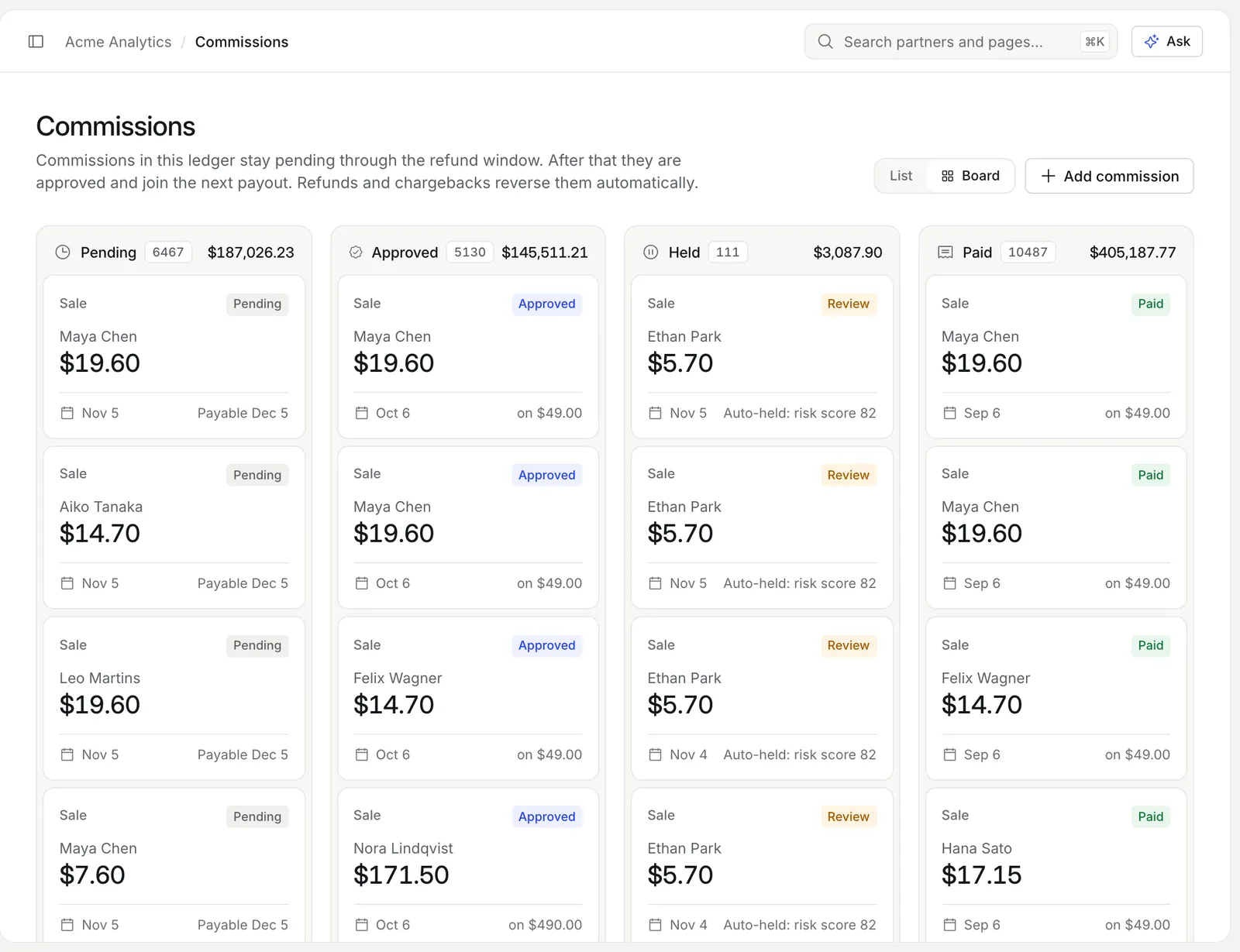
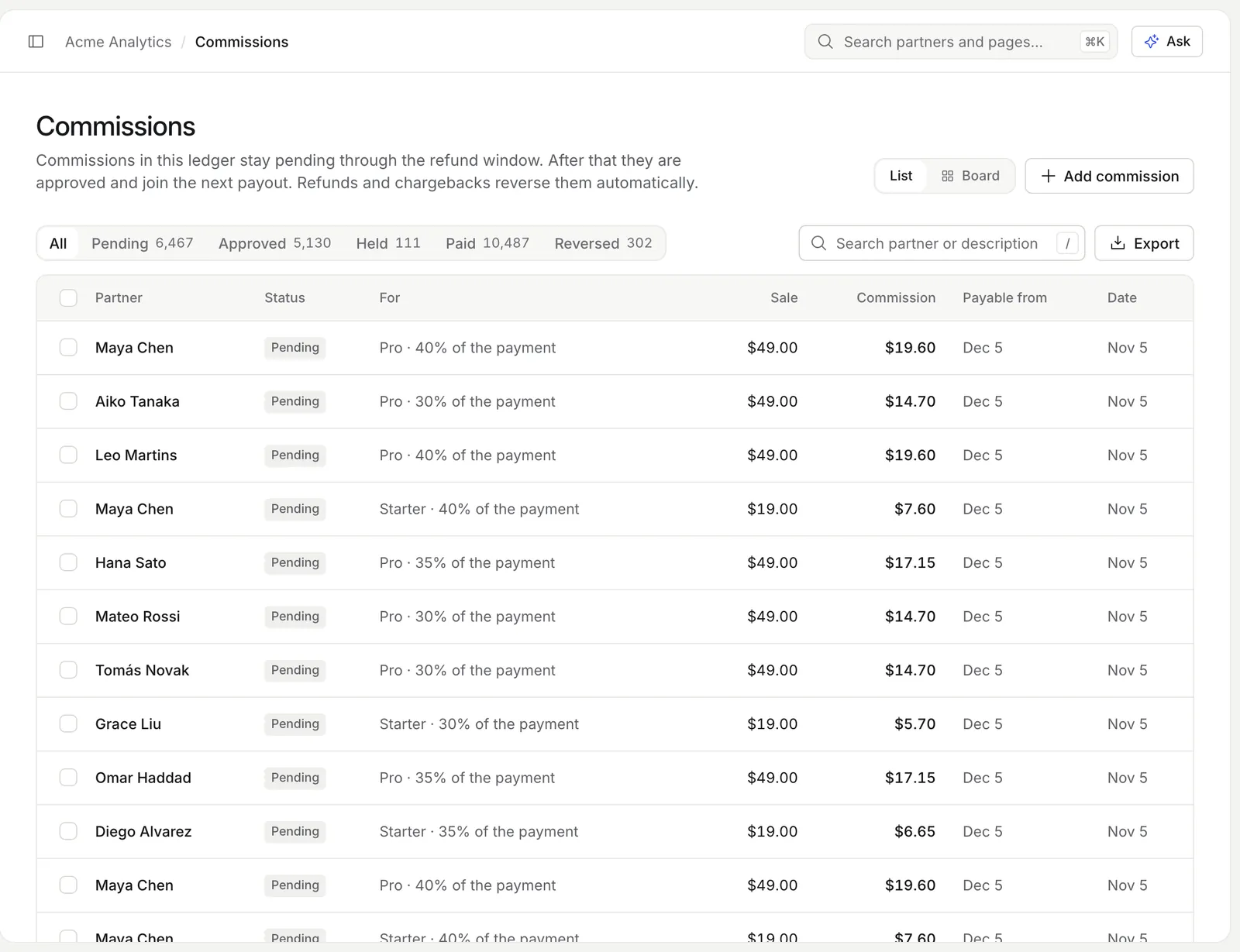
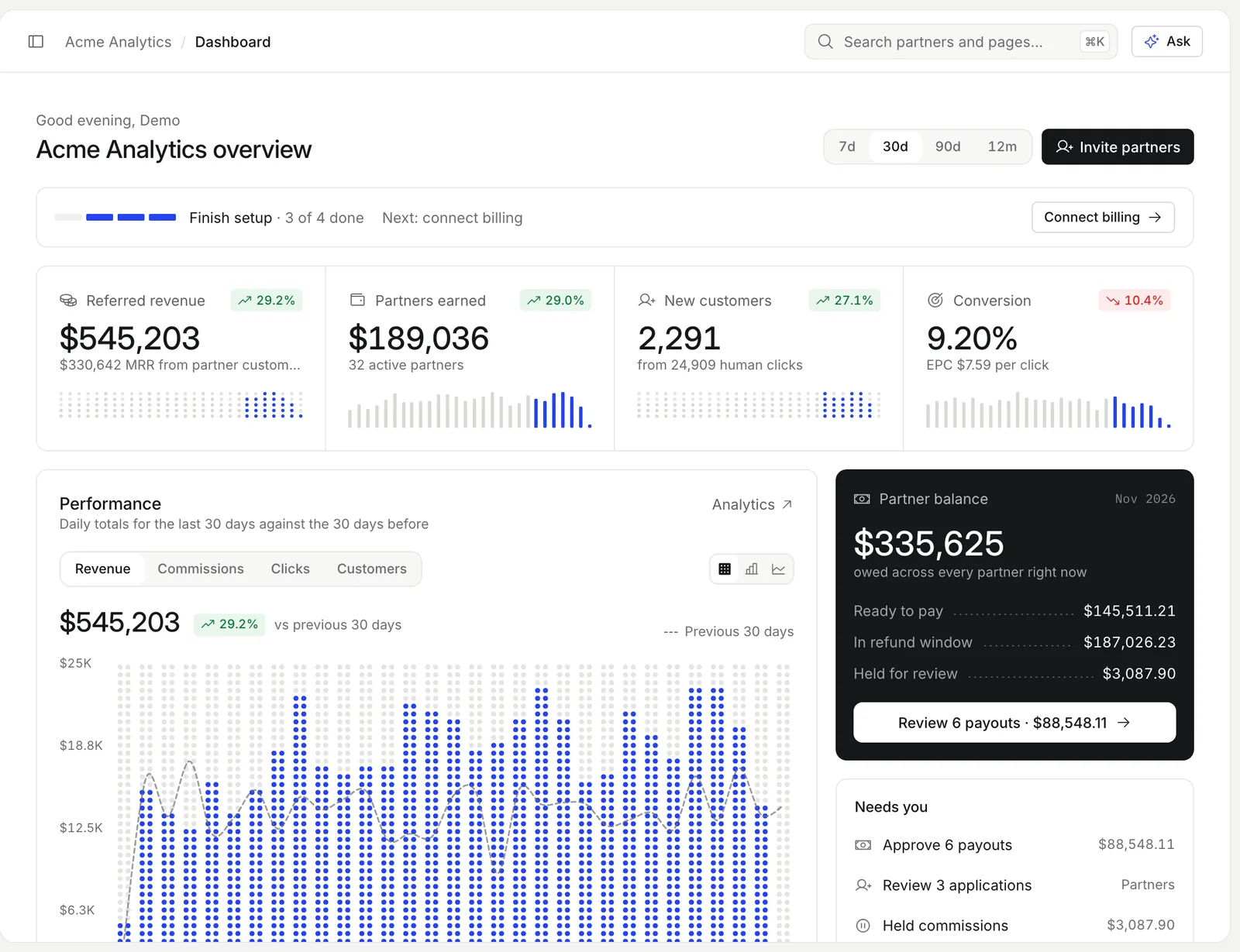
Captured from the demo program in the OpenPromoter app.
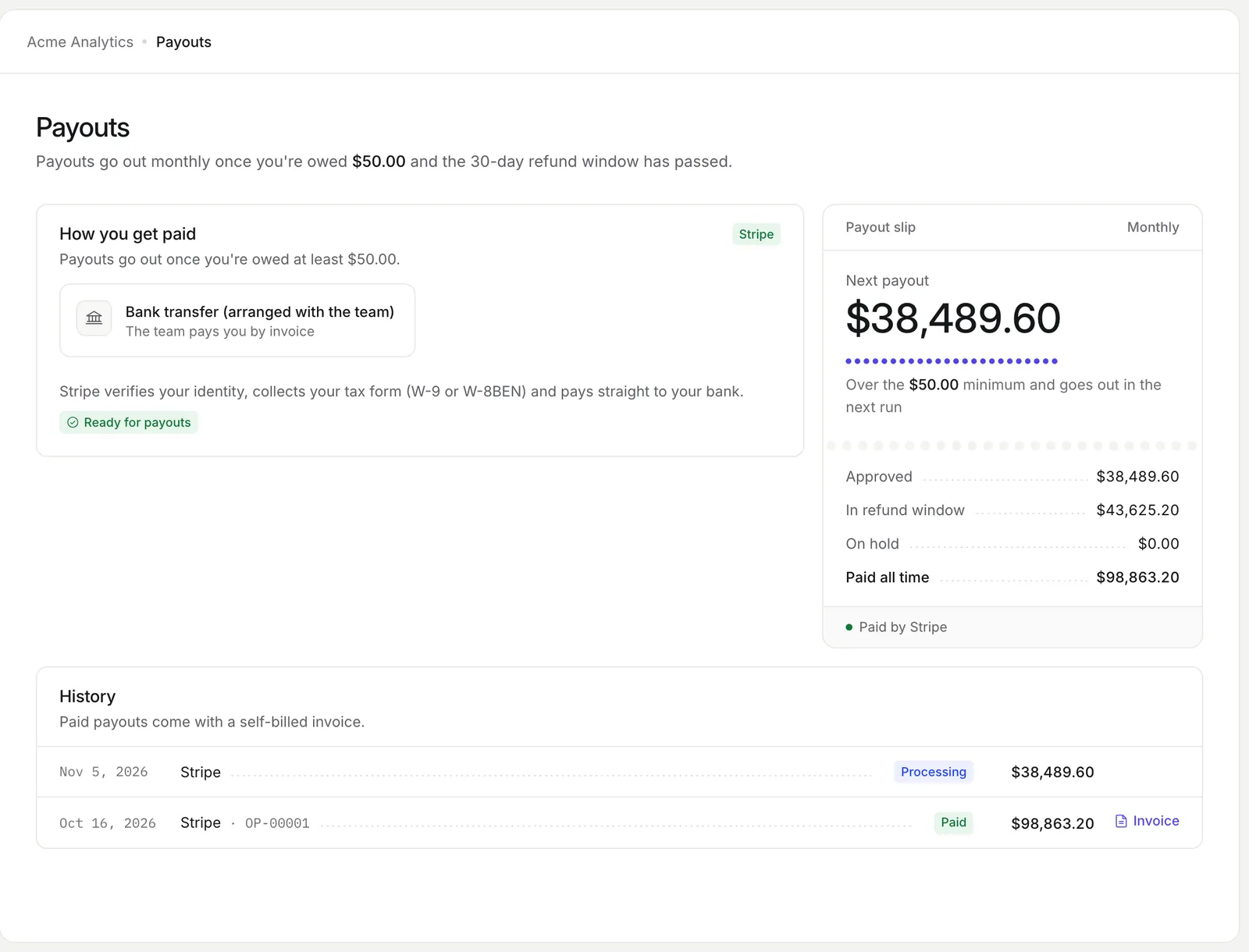
How it works
- 01
A commission is booked
The paid invoice adds a pending line to the commission ledger.
- 02
The hold period passes
After 30 days by default the line is approved. A refund inside that window reduces or reverses it.
- 03
The payout is prepared
It runs monthly, weekly or when you click. Each partner over the minimum gets one payout.
- 04
A person approves it
An owner, admin or finance member approves the batch. It goes out through each partner's payout method.
How affiliate payouts work
Every commission moves through five states before it is paid. Each one is a ledger row tied to the invoice, refund or bonus that created it. Partners see the same ledger in their portal.
Pending
Booked and inside the hold period. The hold is 30 days by default.
Approved
Past the hold period and waiting for the next payout.
Held
Paused by a fraud check, an open chargeback or by you.
Paid
Included in a payout that was sent.
Reversed
Canceled by a full refund or a lost chargeback.
Pay affiliates with Stripe Connect, PayPal or Wise
You can pay affiliates four ways and each partner picks one in the portal. You choose which ones your program allows. Export any payout run to CSV for your accounts or for paying in bulk elsewhere.
Stripe Connect
Partners finish Stripe's hosted Express onboarding. You pay with a Transfer from your Stripe balance.
PayPal Payouts
Sent from your PayPal business account once PayPal enables Payouts on it.
Wise
A transfer from your Wise balance to the partner's Wise email.
Manual
Pay any way you like and mark the payout paid with a reference.
PayPal and Wise both have sandbox support for testing before you pay real partners.
A send that times out is checked with the provider before anything is sent again. Every try carries the same payout id. A retry never pays twice.
A person approves every payout
No payout leaves without a signed-in owner, admin or finance member. Payouts are prepared weekly, monthly or by hand.
Each partner at or above the minimum gets one. The minimum is $50 by default.
API keys, the MCP server and Autopilot can prepare payouts. None of them can approve one.
2FA on large batches
Batches above $1,000 need a fresh two-factor code. Change the limit per program.
Paid means paid
PayPal and Wise payouts stay Processing until the money arrives. A returned payout frees the commissions again.
Locked commissions
On approval the commissions lock to the payout in one transaction.
Failed sends
The payout is marked failed and its commissions return for the next run.
Partners get an email when their payout is sent.
How a commission is calculated
A commission is a percentage or a fixed amount of what the customer paid. The base excludes tax and comes after discounts. Each partner tier has its own rate and a custom rate overrides it for one partner.
Duration
Once, for a number of months or for the lifetime of the subscription.
Campaign boosts
When several boosts are live the strongest one applies. Boosts never stack.
One line per invoice
Each commission has a unique source key. A repeated webhook never books twice.
Test sales
Stripe test-mode sales carry a Test badge. Delete them all before going live.
Refunds, chargebacks and clawbacks
Refunds and disputes change the commission automatically. Your hold period settles most of them before any money moves. The rest come off the partner's next payout.
Partial refund before payout
The commission is reduced in proportion.
Full refund before payout
The commission is reversed.
Refund after payout
A clawback line comes off the partner's next payout.
Chargeback
The commission is held. A won dispute releases it and a lost one reverses it.
Tax forms and 1099s before the money moves
OpenPromoter collects tax forms before it pays. Partners submit a W-9, W-8BEN or W-8BEN-E in the portal. Tax ids are encrypted at rest.
A US partner paid outside Stripe needs a TIN on file before a payout takes them past the 1099-NEC threshold. That threshold is $2,000 for payments made in 2026. The 1099 report exports each year's US partners as a CSV.
Every payout also gets a numbered self-billed invoice. Partners with an EU VAT id get the reverse-charge note. Read 1099s for affiliates for what this means at year end.
Affiliate payout fees compared
OpenPromoter adds 0% to payouts on every plan. That covers self-hosted and every Cloud plan. You pay only the fee of Stripe, PayPal or Wise.
Some hosted tools charge on payouts. Dub charges 5% of payouts and 8% when card-funded. Rewardful's optional Managed Payouts cost 3%.
Sources: Dub help and Rewardful help (November 2026).
The settings involved
These settings control this feature.
- Refund hold
- Settings > Program
- How many days a commission stays pending before it can be paid.
- Minimum payout
- Settings > Program
- The approved balance a partner needs before a payout is made.
- Schedule
- Settings > Program
- Prepares payouts monthly on the 1st, weekly on Monday or only when you click.
- PayPal Payouts
- Settings > Integrations
- The client ID and secret of your PayPal app with a sandbox switch for tests.
- Wise
- Settings > Integrations
- The API token and profile ID of the Wise account that sends transfers.
Questions
Something else? The docs cover every setting.
Does OpenPromoter take a cut of affiliate payouts?
How do I pay affiliates with Stripe Connect?
Can I pay affiliates outside the US?
Can AI send a payout?
What is the minimum payout?
Related

[ openpromoter ]
Try it with your own Stripe account
Free on Cloud up to $1k a month in partner revenue or free forever on your own server.