Campaigns
Run commission boosts, bounties and contests in OpenPromoter. Describe a campaign in one sentence, review the draft and launch it. Partners are told by email and in their portal.
Campaigns give partners a reason to promote you this week. A boost multiplies commissions for a while, a bounty pays a fixed reward for an action and a contest pays prizes to the top partners. You describe one in a sentence, check the draft and launch it.
How to launch a campaign
- Open Campaigns.
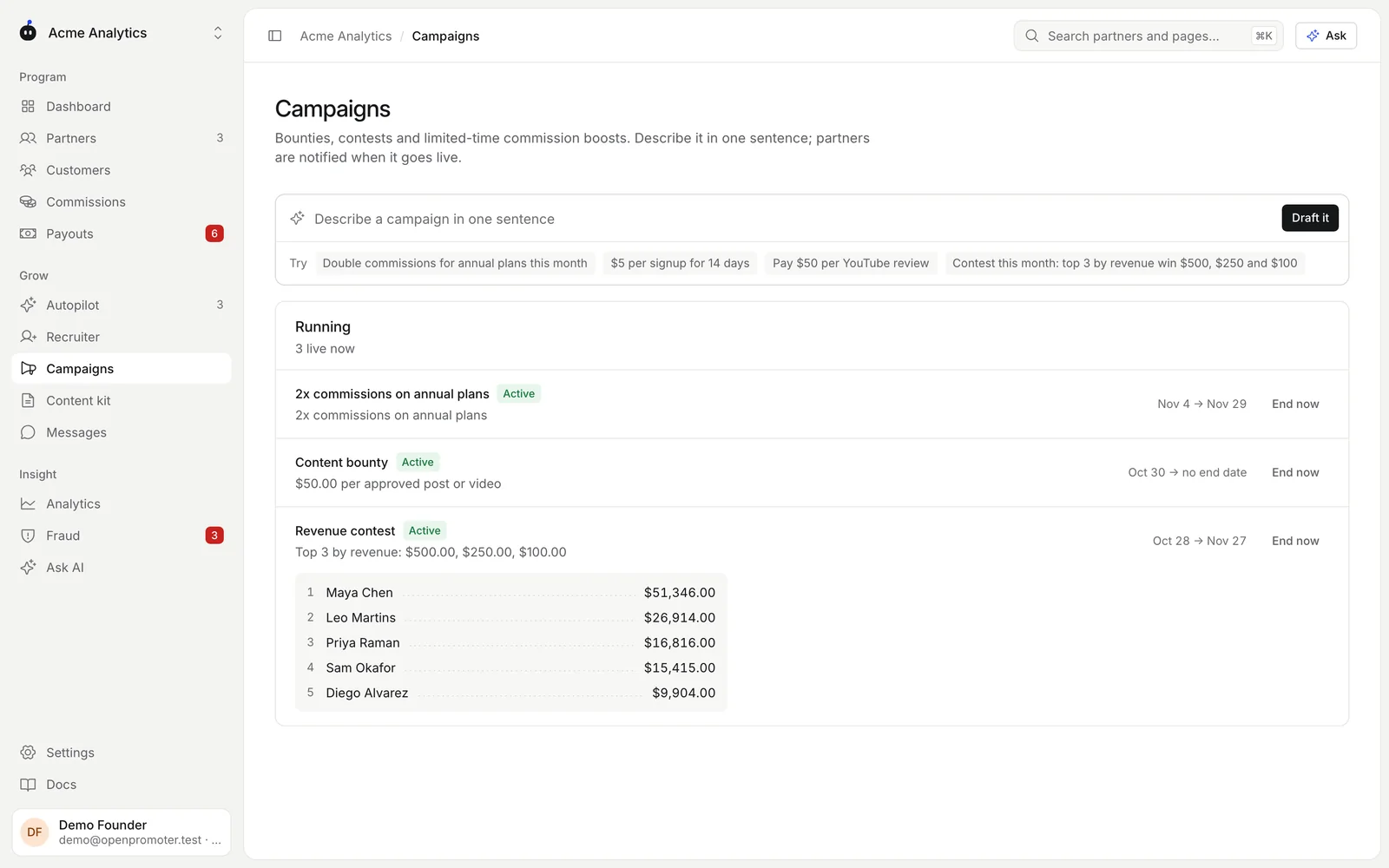
- Type what you want in Describe a campaign in one sentence. Or click one of the examples under Try.
- Click Draft it. OpenPromoter shows the campaign it understood: its name, type, rule and dates.
- Check the draft. Click Launch and notify partners, or Discard to start over.
On launch every active partner gets an announcement by email and in their portal. It says what the campaign is and when it ends. A campaign that starts on a later date shows Scheduled until then.
Writing the sentence
These phrasings work with or without an AI key:
| You type | You get |
|---|---|
| Double commissions for annual plans this month | A 2x boost on annual plans until the end of the month |
| 1.5x commissions for 14 days | A 1.5x boost on every plan for 14 days |
| $5 per signup for 14 days | A $5 bounty for each new signup |
| Pay $50 per YouTube review | A $50 bounty for each approved post or video |
| $100 for a partner's first sale | A $100 bounty when a partner gets their first paying customer |
| Contest this month: top 3 by revenue win $500, $250 and $100 | A revenue contest with three prizes |
Dates come from words like "this month", "this week", "for 14 days" or "until March 31". A boost or contest with no date runs to the end of the month. A bounty with no date has no end date.
With an AI key the box also understands looser wording and named dates such as Black Friday. See AI features.
Boosts
A boost multiplies the commission on every sale while it runs. It can be limited to annual or monthly plans.
- Boosts go up to 5x.
- If two boosts are live at once, the stronger one applies. Boosts never stack.
- The boost applies to the sale's commission. The partner's tier or custom rate is the starting point.
Bounties
A bounty pays a fixed amount when a partner does something.
| Trigger | Paid when |
|---|---|
| Signup | A visitor signs up through the partner during the campaign |
| First sale | The partner's first paying customer arrives |
| Revenue milestone | The partner's referred revenue since the start reaches the milestone |
| Post | You approve a post or video the partner submitted |
Each bounty is a commission line of its own. It goes through the same hold window as sales. A signup bounty from a signup the browser script reported is held until you approve it.
Approving bounty submissions
For a post bounty, partners submit the URL of their post or video in their portal under Content. Submissions appear on the Campaigns page under Bounty submissions.
- Open the link to check the post.
- Click Approve to pay the reward, or the X to reject it.
The approved reward is added to the partner's commissions.
Contests
A contest ranks partners by revenue, referrals or clicks between its start and end dates. The running campaign shows the current leaderboard.
When the end date passes, OpenPromoter pays the prizes in order: the first prize to first place and so on. Partners with nothing to count get no prize. Prizes are added as commissions and go through the normal hold window.
Click counts include only human clicks. Bot clicks never count.
Good to know
- Click End now on a running campaign to stop it before its end date. A contest pays its prizes at that moment.
- Owners and admins can launch and end campaigns.
- Autopilot may propose a 14-day 1.5x boost when clicks or customers drop. You launch it yourself. See AI features.
- Campaigns can also be created through the API.
Next: Content kit