Recruiting partners
Find partners for your OpenPromoter program. Invite your happiest customers with the AI recruiter, find creators in your niche, list your program in the marketplace and let partners recruit partners.
The Recruiter finds your happiest paying customers and creators in your niche and drafts an invite for each. The partner marketplace lists your program where partners browse and apply. Two-tier recruiting pays your partners a share of what the people they bring in earn.
How to invite your customers with the Recruiter
- Open Recruiter.
- Click Find customers to invite. The Recruiter ranks your paying customers and adds up to 25 to the To invite tab with a drafted invite for each.
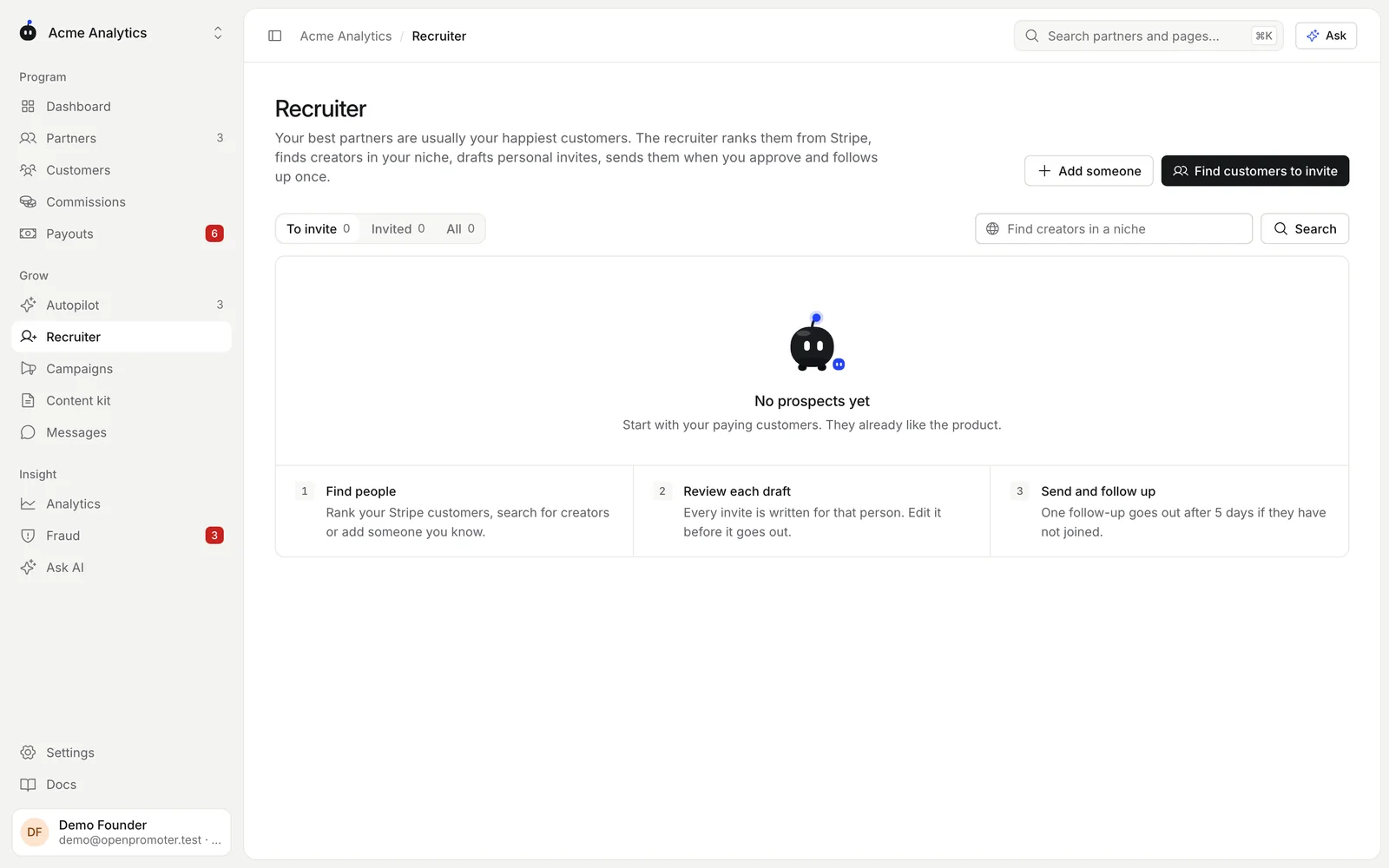
- Click Invite on a prospect to read the draft. Edit the Subject and Message if you like.
- Click Open in Gmail or Open in mail app. The draft opens addressed to them with the join link at the end. Click send in your email.
- No Gmail or mail app? Click Copy, paste it into any email and click I sent it.
To have AI rewrite drafts for the people you picked, tick them and click Personalise. If you invited people some other way, tick them and click Mark as invited.
Customers are ranked by how long they have paid, their lifetime value and whether they still subscribe. People who are already partners are skipped. The customer list comes from your connected billing provider.
How to find creators in your niche
- Type a niche in Find creators in a niche, such as "indie SaaS founders" or "product analytics newsletters".
- Click Search. Up to 10 creators, newsletters, YouTube channels or blogs are added with a reason and a fit score.
- Review their drafts and send them the same way.
The search uses AI with web search and keeps only people found on real pages. It needs an Anthropic key on a self-hosted install and uses your AI allowance on Cloud.
To add someone you already know, click Add someone. Enter their Name, Email, Website or channel and Why they fit. The reason is used to write their invite.
What happens after you send
- The invite comes from your own email address, so replies reach you directly.
- When they join through the link, the prospect is marked as joined and approved straight away.
- The Invited tab lists everyone you invited with their status.
- To follow up, send a short reply in the same email thread after a few days.
OpenPromoter never emails your prospects. Autopilot and the AI never send invites either.
The partner marketplace
The partner marketplace is a public page at /network where partners browse affiliate programs and apply. Programs appear only when their founder lists them.
How to list your program
- Open Settings > Portal & domain.
- Turn on Show in the marketplace.
- Pick a Category so partners can find you by filter.
Only public programs are listed. Private and invite-only programs stay hidden even with the switch on. Turn the switch off at any time to remove the listing.
What partners see
Each listing shows:
- The program name and logo
- Its category
- The commission rate and how long it is paid
- The cookie window
- The payout methods you allow (Stripe, PayPal and Wise)
- The recruit bonus when two-tier commissions are on
Partners filter the list by category and by commission type (percent of each payment or a fixed amount).
Applying in one click
A partner who is signed in applies with the Apply button on the listing. Their account name and email are used. Your auto-approve rules decide whether they are approved at once.
If your program asks required application questions, Apply opens your application form instead. Partners who are not signed in also go to the form, which creates their account. See Application form.
Every program a partner joins shows up in their partner home at /partners, under one login.
On a self-hosted install the marketplace lists the programs on your own instance. On Cloud it lists every Cloud program whose founder opted in.
Two-tier recruiting
With two-tier commissions on, your partners recruit other partners and earn a share of their commissions. Turn it on with Recruiter override in Settings > Program. See Commissions for the rules.
Each partner finds their recruit link on the Recruits page of their portal. Anyone who applies through it joins their team.
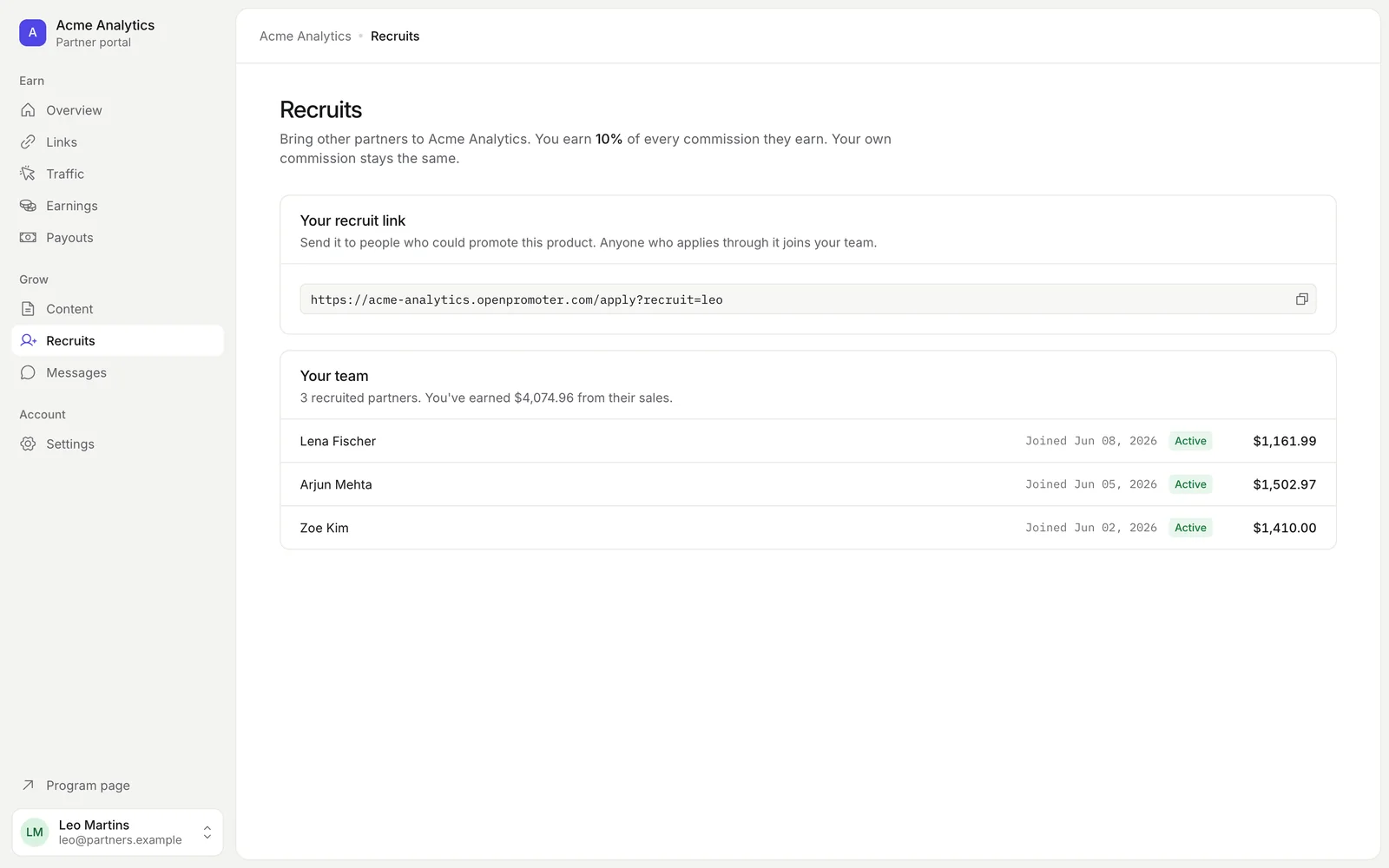
The page lists each recruit with their join date and status and what the partner earned from them. The recruit's own commission stays the same. You pay the override on top.
Fraud checks flag a recruiter whose recruits look like their own second accounts. See Fraud.
Good to know
- Invite one partner by hand from Partners > Invite partner. See Partners.
- Moving from another affiliate tool? Import your partners as CSV. See Team and access.
- Without an AI key, customer ranking works and invites use a template. Add creators with Add someone.
Next: AI features