Payouts
How partners get paid in OpenPromoter. Commission states, the refund hold, payout runs and approval. Stripe Connect, PayPal, Wise and bank transfer, invoices and tax forms.
Every commission waits through a refund hold before it joins a payout. OpenPromoter prepares payouts on your schedule and sends nothing until someone on your team approves them. Partners are paid by Stripe Connect, PayPal, Wise or bank transfer, and OpenPromoter takes no fee.
How to approve payouts
- Open Payouts. Waiting for approval shows the total in the queue.
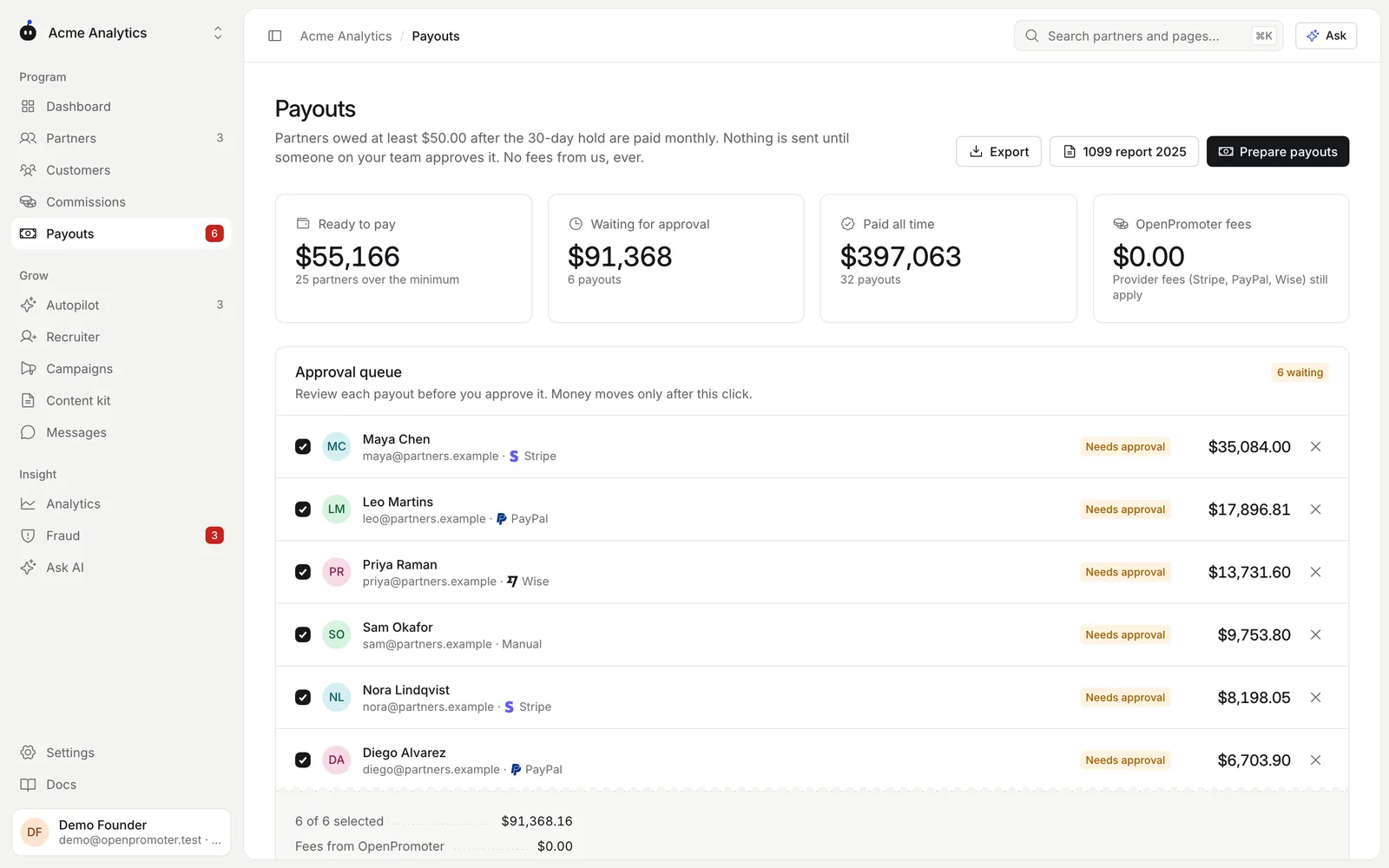
- If the queue is empty and Ready to pay shows partners, click Prepare payouts. Payouts are also prepared on your schedule.
- Check each payout in the Approval queue: the partner, method and amount. Untick a partner to leave them for later. Click the X to remove a payout from the queue.
- Click Approve with the number of payouts. Confirm that you want to send the money.
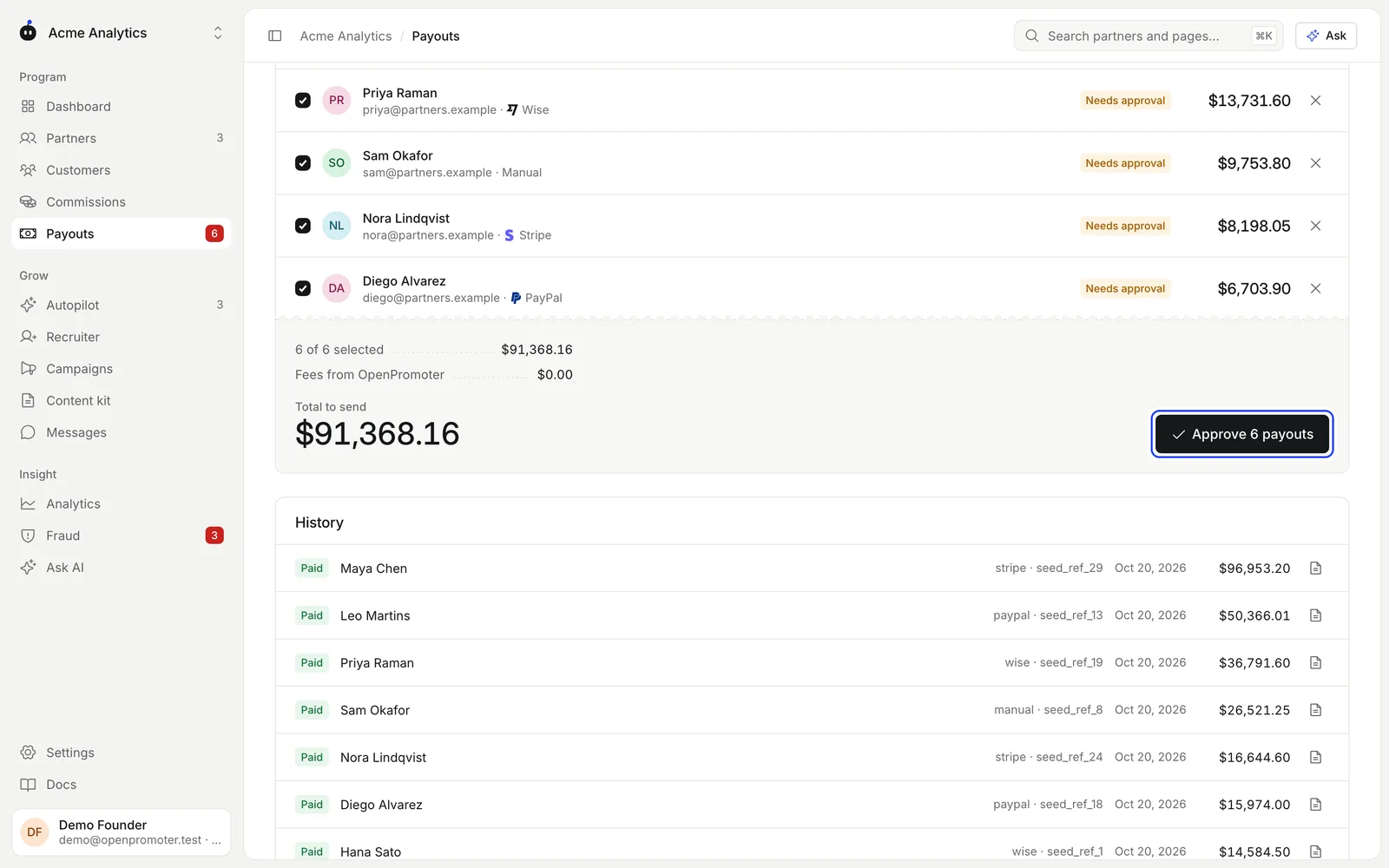
Approving more than 1,000 in your program's currency at once needs two-factor authentication. You enter a fresh code from your authenticator app. See Team and access.
Only owners, admins and finance can approve. API keys, the MCP server, Autopilot and AI can prepare payouts but can never approve them.
The commission ledger
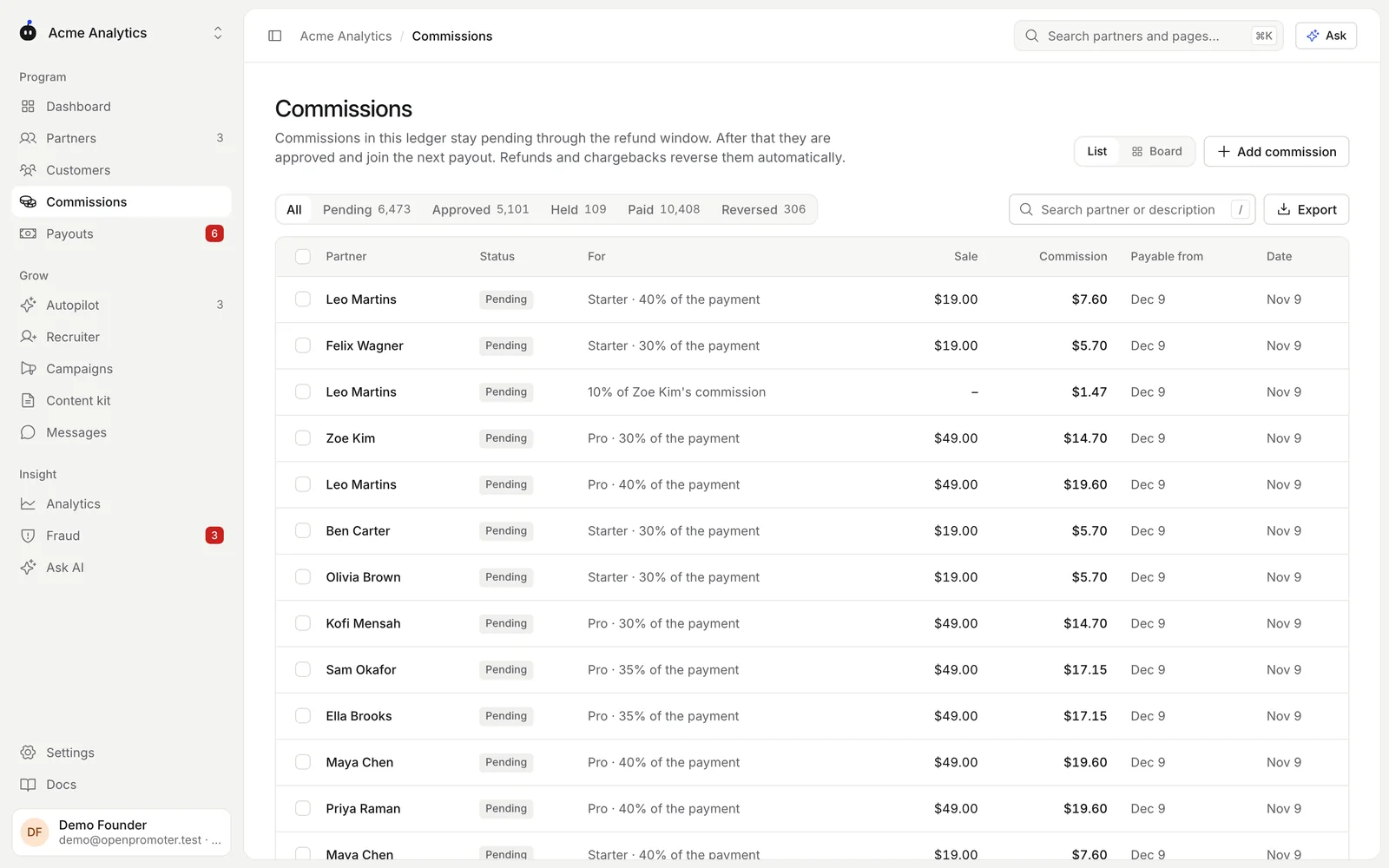
Open Commissions to see every commission line. Switch between List and Board.
| State | Meaning |
|---|---|
| Pending | Booked and inside the refund hold. Payable from shows when it ends. |
| Approved | Past the hold and waiting for the next payout |
| Held | Paused by a fraud check, an open chargeback, a paused or banned partner or by you |
| Paid | Included in a payout that was sent |
| Reversed | Canceled by a full refund, a lost chargeback or by you |
Tick lines to act on them: Approve now skips the rest of the hold, Hold pauses them, Release frees held lines and Reverse cancels them. Click Export to download the open tab as CSV.
Adding a commission by hand
Click Add commission for a bonus, an offline deal or a correction. Pick the Partner and enter the Amount and a Reason.
A manual commission is approved at once. Use a negative amount to deduct from the partner's next payout.
Payout settings
Set these in Settings > Program under Payouts:
| Setting | Default | What it does |
|---|---|---|
| Refund hold | 30 days | How long a commission stays pending. Set it to at least your refund window. Up to 180 days. |
| Minimum payout | $50 | Partners owed less roll over to the next run |
| Schedule | Monthly (1st) | Monthly (1st), Weekly (Monday) or Only when I click |
On the scheduled day, OpenPromoter prepares a payout for every partner whose approved balance is at or above the minimum. Owners, admins and finance get an email saying payouts are ready for approval. Banned partners are left out.
Payout methods
Each partner picks how to be paid on the Payouts page of their portal. They see a provider only after you connect it in Settings > Integrations. Bank transfer is always offered.
| Method | How it pays |
|---|---|
| Stripe Connect | Stripe checks the partner's identity and tax form during onboarding. You pay with a transfer from your Stripe balance. See Stripe. |
| PayPal | PayPal Payouts from your business account to the partner's PayPal email. Your account needs Payouts turned on by PayPal. |
| Wise | A transfer from your Wise balance to the partner's Wise email |
| Bank transfer | You pay any way you like. Then click Mark paid on the payout and add a reference. |
PayPal and Wise payouts show Processing until the provider confirms the money arrived. OpenPromoter checks every 10 minutes. UK and EEA Wise profiles must fund each transfer in the Wise app.
If a provider refuses a payout, it moves to Failed with the reason. Its commissions are owed again and join the next run. A retry never pays twice.
PayPal doesn't let accounts in some countries send Payouts, India among them. Pay those partners with Wise or Stripe.
You pay each provider's own fees. OpenPromoter takes 0% of payouts on every plan.
Invoices
Every payout gets a sequential number such as OP-00029 and a self-billed commission invoice. The invoice is issued from the partner to you under the self-billing agreement in your program terms.
Click the document icon on a payout in History to open it. Click Print or save as PDF to keep a copy. Partners find the same invoice in their portal.
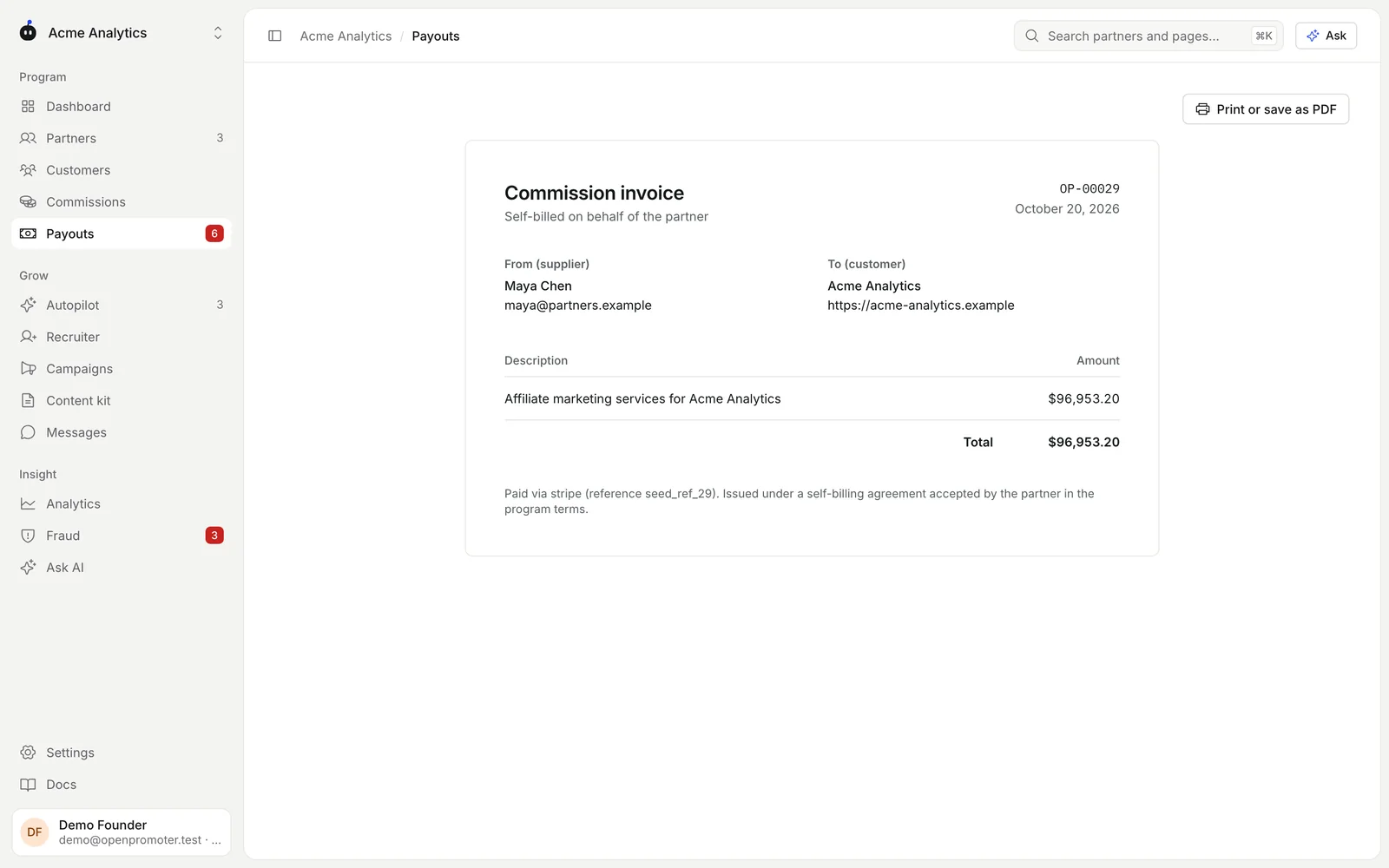
When the partner has an EU VAT ID, the invoice carries the reverse-charge note (Article 196, Council Directive 2006/112/EC).
Tax forms
Partners add tax details on the Settings page of their portal.
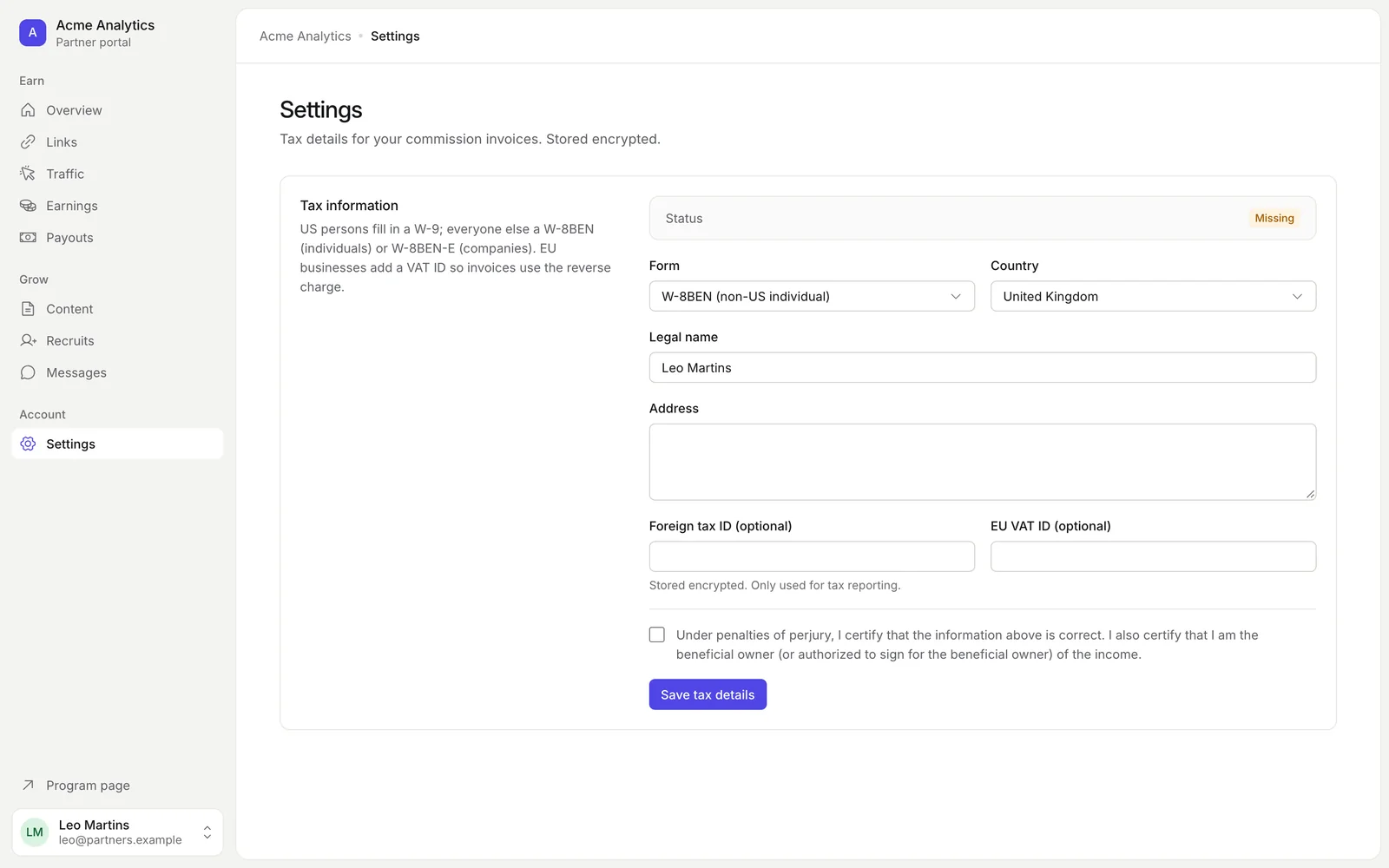
- W-9 for US persons with an SSN or EIN
- W-8BEN for individuals outside the US
- W-8BEN-E for companies outside the US
Partners also give their legal name, address and an optional EU VAT ID. Tax IDs are encrypted. EU VAT IDs are checked with the European Commission's VIES service.
Some US partners need a W-9 with an SSN or EIN before they pass the 1099-NEC threshold for the year. This applies when they are paid by PayPal, Wise or bank transfer.
Until then the payout fails with a clear message. Stripe Connect collects tax details in its own onboarding.
The 1099 report
Click 1099 report on the Payouts page to download last year's CSV of US partners. It lists each partner's legal name, address, masked TIN, total paid in US dollars and whether a 1099-NEC is needed.
| Payments made in | Threshold |
|---|---|
| 2025 and earlier | $600 |
| 2026 | $2,000 |
The IRS adjusts the threshold for inflation from 2027. Check it before you file.
Exporting full unmasked TINs is recorded in the audit log. 1099s are due January 31.
Refunds and chargebacks
| What happens | Effect on the commission |
|---|---|
| Partial refund before payout | Reduced by the same share |
| Full refund before payout | Reversed |
| Refund after payout | A negative line (a clawback) comes off the partner's next payout |
| Dispute opened | Held |
| Dispute won | Back to pending |
| Dispute lost | Reversed, and clawed back if it was already paid |
Good to know
- Commissions are locked to a payout the moment you approve it. A refund that arrives later becomes a clawback.
- Test-mode commissions never join a real payout. Their payouts are marked paid by hand.
- Click Export on the Payouts page for a CSV of payouts for your accounting.
- Partners get an email when their payout is sent.
- This is general information. Check your own situation with a tax advisor.
Next: Plans and billing