Content kit
The OpenPromoter content kit gives partners ready-made copy, social posts, emails and banners with their own link filled in. Edit it, add your own pieces and share files.
The content kit is the copy, posts, emails and banners your partners can share right away. OpenPromoter writes it from your website after setup and refreshes it when your site changes. Each partner sees it in their portal with their own referral link already filled in.
How to manage the content kit
- Open Content kit.
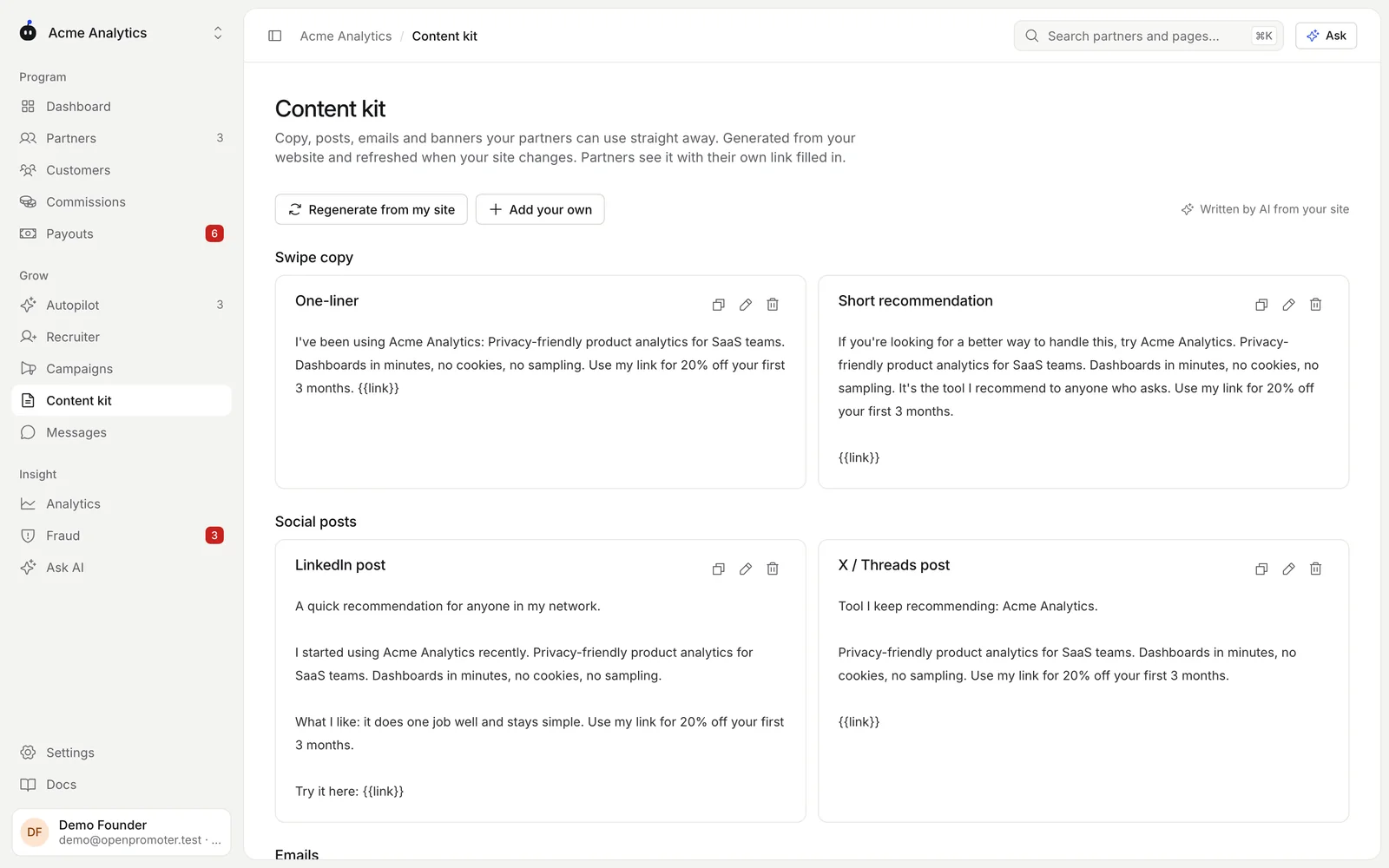
- Read through each section. Use the icons on a card to copy, edit or delete it.
- Click Add your own to write a new piece. Pick a Type, add a Title and the Text. Put
{{link}}where the partner's link should go. - Click Regenerate from my site after you change your website or pricing.
The label in the top right says Written by AI from your site when AI wrote the kit. Without an AI key the kit is built from templates filled with what is on your site.
What the kit holds
| Section | What partners get |
|---|---|
| Swipe copy | A one-liner and a short recommendation |
| Social posts | Posts written for X, LinkedIn and Reddit |
| Emails | A newsletter blurb and a personal email with a subject line |
| Comparison blurbs | A short note on how your product compares |
| Banners | Banners in your brand color at 300 x 250, 728 x 90, 1200 x 628 and 1080 x 1080 |
The AI writes in the partner's voice from the facts on your site. It mentions your customer discount when you offer one.
Resources library
Under Resources library, click Add resource to share files and pages with partners. Upload an image, PDF, MP4 or WebM video or a ZIP up to 10 MB. Or paste a link to a page such as your brand guidelines.
What partners see
Partners open Content in their portal. Every piece has their link in place of {{link}}, and Copy text copies it in one click. Banners have a Download button.
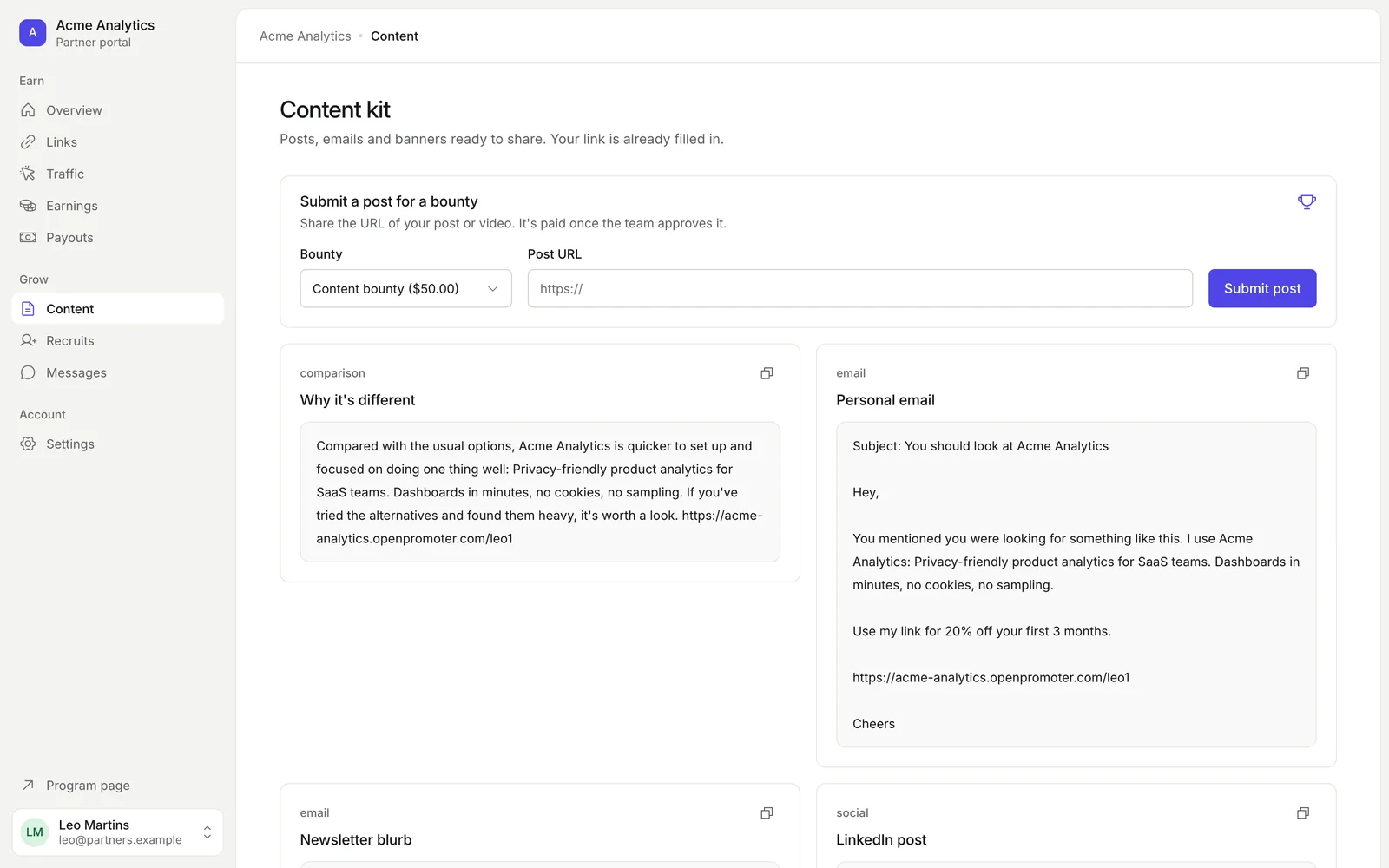
When a content bounty is running, a Submit a post for a bounty box sits at the top. The partner picks the Bounty, pastes the Post URL and clicks Submit post. You approve it on the Campaigns page.
How the kit stays current
- OpenPromoter checks your website once a week. If the text on it changed, the kit is written again.
- Pieces you added or edited are kept on every refresh. Only the generated pieces are replaced.
- Regenerate from my site rewrites the generated pieces at once, even if your site has not changed.
Good to know
- Generating the kit uses your AI allowance on Cloud. When the allowance runs out, the kit uses templates until next month. See Plans and billing.
- Autopilot's note to quiet partners points them to the content kit. See AI features.
- Viewers can read the kit. Owners and admins can change it.
Next: Recruiting partners